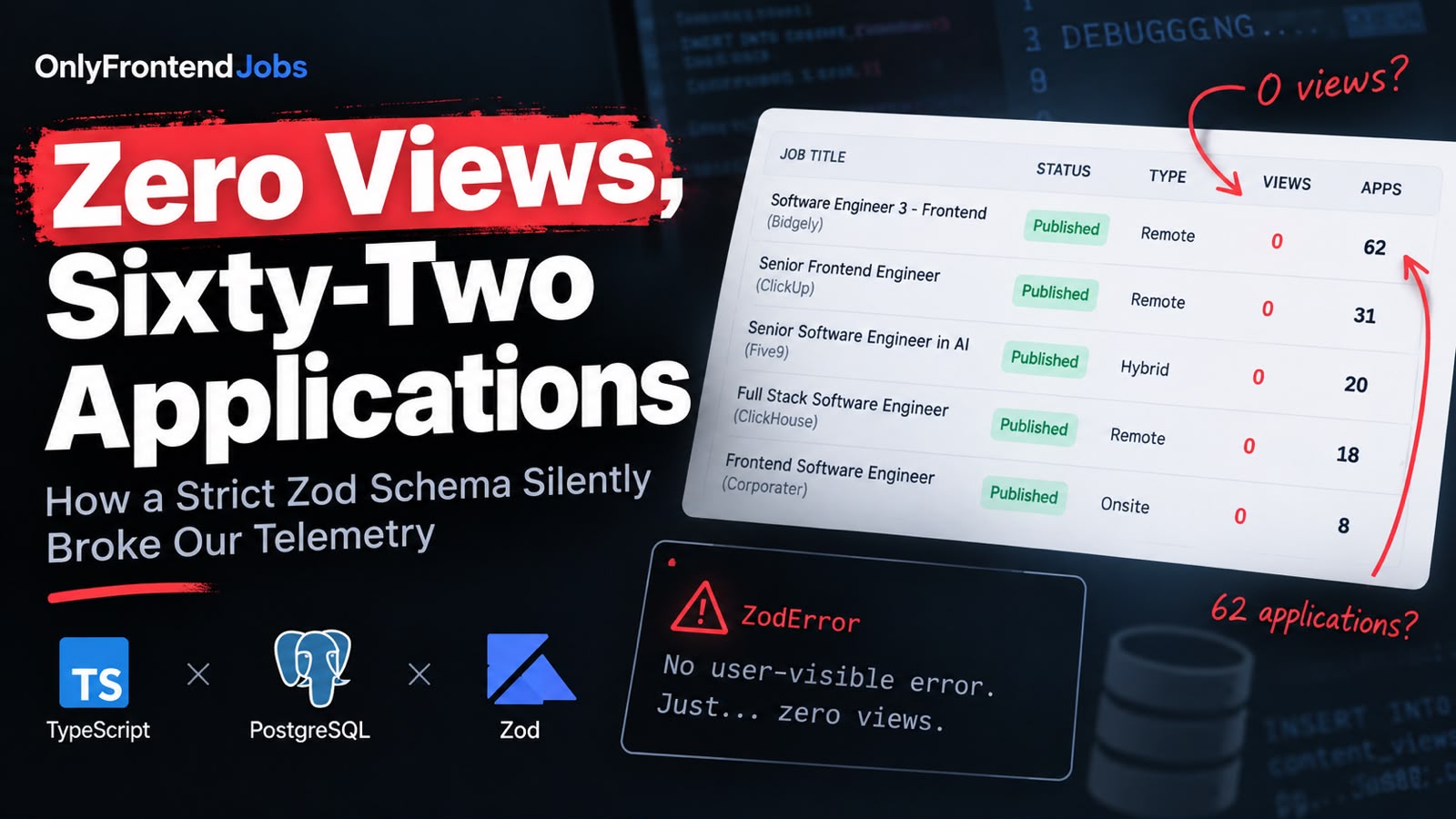
I opened the admin dashboard on OnlyFrontendJobs this morning and stared at the metrics table in disbelief.
Here is what the dashboard showed:
Job Title                                        Status     Type     Views   Apps   Posted
[Software Engineer 3 - Frontend] (Bidgely)       Published  Remote     0      62    2d ago
[Senior Frontend Engineer] (ClickUp)             Published  Remote     0      31    1d ago
[Senior Software Engineer in AI] (Five9)         Published  Hybrid     0      20    2d ago
[Full Stack Software Engineer] (ClickHouse)      Published  Remote     0      18    1d ago
[Frontend Software Engineer] (Corporater)        Published  Onsite     0       8    Just now
Think about those numbers for a second.
Sixty-two candidates had applied for the Bidgely role. Thirty-one candidates had applied for ClickUp. Twenty candidates applied to Five9.
And every single job reported 0 views.
How does an application get sixty-two candidates when literally zero humans visited the page? Did Google index a phantom link? Was a rogue scraper submitting bot traffic directly to our apply endpoint? Or had we introduced a bug that broke mathematics?
The answer wasn't a bot attack or an ATS ghost. It was a classic, insidious trap where TypeScript, PostgreSQL, and runtime Zod validation teamed up to silently swallow every view event for three straight days without triggering a single user-visible error.
Here is the postmortem of how it happened, why our tests missed it, and what we changed to fix it.
The Architecture: Two Independent Metrics
On OnlyFrontendJobs, every job posting tracks two key metrics:
- Views (
views_count): Incremented when a user lands on/jobs/[slug]. - Applications (
applications_count): Incremented when a user clicks through to the external ATS or submits an application.
These two metrics use completely different storage and update paths:
-
When someone clicks the "Apply" button, an event hits
/api/jobs/[id]/apply, which executes an atomic SQL update directly on thejobstable:UPDATE jobs SET applicant_count = COALESCE(applicant_count, 0) + 1 WHERE id = $1;That worked flawlessly. Candidates clicked "Apply", the count incremented, and the numbers went up: 11, 20, 31, 62.
-
But the view count uses an asynchronous, lightweight event logger. When the job detail page mounts in the candidate's browser, a client component (
JobEngagement) fires a background request to/api/views:fetch('/api/views', { method: 'POST', headers: { 'Content-Type': 'application/json' }, body: JSON.stringify({ type: 'job', contentId: jobId }), })On the server,
/api/viewslogs this visit into a dedicatedcontent_viewstable:INSERT INTO content_views (type, content_id, view_count) VALUES ($1, $2, 1) ON CONFLICT (type, content_id) DO UPDATE SET view_count = content_views.view_count + 1;
In the admin dashboard, the query joins these two tables together:
SELECT
  j.id,
  j.title,
  COALESCE(cv.view_count, 0) as views_count,
  COALESCE(j.applicant_count, 0) as applications_count
FROM jobs j
LEFT JOIN content_views cv ON cv.content_id = j.id::text AND cv.type = 'job';
Because the join is a LEFT JOIN, if a job has no entry in content_views, COALESCE defaults views_count to 0.
And since September 3, not a single row had been added to content_views.
The Culprit: A Well-Intentioned Security Hardening
Three days earlier, we did a security and performance sweep. One of the items on the audit was /api/views.
Historically, /api/views didn't validate its payload strictly. Anyone could send arbitrary strings. So we added strict Zod schema validation:
// src/lib/content-views.ts
import { z } from 'zod';

export const viewPayloadSchema = z.object({
  type: z.enum(['job', 'blog']),
  contentId: z
    .string()
    .trim()
    .min(1, 'contentId cannot be empty')
    .max(128, 'contentId cannot exceed 128 characters')
    .regex(
      /^[a-zA-Z0-9_-]+$/,
      'contentId must contain only alphanumeric characters, dashes, or underscores',
    ),
});
It looked clean, defensive, and thoroughly tested.
We even wrote a unit test for it:
test('parseViewPayload accepts job and blog ids', () => {
  assert.equal(parseViewPayload({ type: 'job', contentId: '42' }).success, true);
  assert.equal(parseViewPayload({ type: 'blog', contentId: 'my-post_1' }).success, true);
});
The tests passed. CI went green. The pull request was merged.
And immediately, all view tracking died.
Why TypeScript Didn't Warn Us
Look closely at the test we wrote:
parseViewPayload({ type: 'job', contentId: '42' }); // string!
We tested with a string '42'. In blog posts, contentId is the article slug, which is naturally a string (e.g. 'lighthouse-score-perfect'). So blog views kept working fine.
Now look at how the job detail page renders the engagement component:
// src/app/jobs/[slug]/page.tsx
<JobEngagement jobId={job.id} />
And check our TypeScript type definition for Job:
// src/app/jobs/[slug]/types.ts
export interface Job {
  id: string; // 👈 Look at this type annotation!
  title: string;
  slug: string;
  // ...
}
TypeScript was completely satisfied. JobEngagement expected { jobId: string }, and Job.id was typed as string. The compiler emitted zero warnings.
Except at runtime, job.id was NOT a string.
In PostgreSQL, the jobs.id column is an integer primary key:
id integer NOT NULL DEFAULT nextval('jobs_id_seq'::regclass)
When the Node.js pg driver executes SELECT j.id ..., it deserializes PostgreSQL int4 columns into JavaScript numbers (859, 855, 845), not strings!
Because data.ts executed raw SQL and returned result.rows[0] as Job, TypeScript accepted the cast on faith.
The Chain Reaction of Failure
Here is the exact chain of events that unfolded on every candidate visit:
- A candidate loaded
/jobs/software-engineer-3-frontend-bidgely-ezoz0. - The server fetched the job from Postgres.
job.idwas the number845. <JobEngagement jobId={845} />mounted on the client.useViewTrackerserialized the payload:
Notice thatJSON.stringify({ type: 'job', contentId: 845 })contentIdis a raw JSON number:845.- The request reached
POST /api/views. - Zod ran
viewPayloadSchema.safeParse(body). - Zod checked
contentId: z.string(). It received a number. - Zod failed validation and returned:
{ "error": "Expected string, received number", "path": ["contentId"] } - The API handler returned
400 Bad Request. - On the frontend,
useViewTrackerwas written with defensive telemetry hygiene:
The promise rejected or parsed an error response, the catch block swallowed it, and the page rendered smoothly without a single console error or red screen.fetch('/api/views', { ... }) .catch(() => { // Silently fail — don't break the candidate's reading experience });
Everything looked completely healthy. The UI was fast. Candidates read job descriptions, clicked "Apply", and submitted resumes.
The only thing that broke was our telemetry, which recorded zero views across thousands of visitor sessions.
The Fix
The fix required two simple adjustments: server-side flexibility and client-side normalization.
1. Make the Zod Schema Accept Strings or Numbers
Instead of blindly assuming the caller will always pass a string, we accept either a string or a number, transform it to a clean string, and pipe it through our format constraints:
// src/lib/content-views.ts
export const viewPayloadSchema = z.object({
  type: z.enum(['job', 'blog']),
  contentId: z
    .union([z.string(), z.number()])
    .transform((v) => String(v).trim())
    .pipe(
      z
        .string()
        .min(1, 'contentId cannot be empty')
        .max(128, 'contentId cannot exceed 128 characters')
        .regex(
          /^[a-zA-Z0-9_-]+$/,
          'contentId must contain only alphanumeric characters, dashes, or underscores',
        ),
    ),
});
Now, whether the caller sends "859" or 859, Zod coerces it to "859" and validates that it is a safe identifier.
2. Defensively Cast on the Client
Even with the server accepting numbers, client telemetry shouldn't send raw types when a string contract is expected. We updated useViewTracker.ts and JobEngagement.tsx to explicitly cast IDs:
// src/hooks/useViewTracker.ts
const normalizedId = String(contentId || '').trim();

// Inside fetch:
body: JSON.stringify({ type, contentId: normalizedId }),
3. Test With Real Runtime Payloads
We updated our automated test suite to verify that numeric IDs succeed:
// tests/api-views-validation.test.ts
test('parseViewPayload accepts job and blog ids', () => {
  assert.equal(parseViewPayload({ type: 'job', contentId: '42' }).success, true);
  assert.equal(parseViewPayload({ type: 'blog', contentId: 'my-post_1' }).success, true);

  // Runtime Postgres jobs.id is a number — must accept number and coerce to string
  const numJob = parseViewPayload({ type: 'job', contentId: 859 });
  assert.equal(numJob.success, true);
  if (numJob.success) {
    assert.equal(numJob.data.contentId, '859');
  }
});
We ran the test suite:
pnpm exec tsx --test tests/api-views-validation.test.ts
# ✔ parseViewPayload accepts job and blog ids (1.3ms)
# 6 passed, 0 failed
Then we fired a test hit at our local development endpoint:
curl -X POST http://localhost:3000/api/views \
  -H "Content-Type: application/json" \
  -d '{"type":"job","contentId":859}'
Response:
{"type":"job","contentId":"859","views":1}
The database immediately recorded the view. In the admin dashboard, the Views column came right back to life.
Lessons for Fullstack Teams
- TypeScript types are not runtime guarantees. Writing
interface Job { id: string }does not magically convert a Postgresint4integer into a string. If your database driver emits numbers, you are dealing with numbers at runtime. - Strict validation can be too strict. When validating identifiers at API boundaries, use
z.union([z.string(), z.number()]).transform(...)orz.coerce.string()if numeric IDs are common in your data model. - Silent failure protects users, but blinds operators. Wrapping telemetry in
catch(() => {})is the right UX choice (analytics failures should never crash a user's screen). But without an observability counter or Sentry sample for 4xx validation errors, a bad schema can silence your analytics pipeline indefinitely. - Test your types against what your database actually emits. When testing API contracts, don't just test with clean mocks that match your TypeScript interfaces. Test with the raw JSON shapes that your real components send.
Now, when candidates view the next role on the job board, our view counts will actually reflect the humans behind the applications.